Create a shared student living space with the Boarding School Dorm room build for The Sims 4. Designed for four Sims, it brings beds, study furniture and a social area together in a furnished school inspired room.
This is a room file for your Library. The CC collections used to furnish it are separate downloads, so install them before placing the room if you want the intended furniture and decorations to appear.
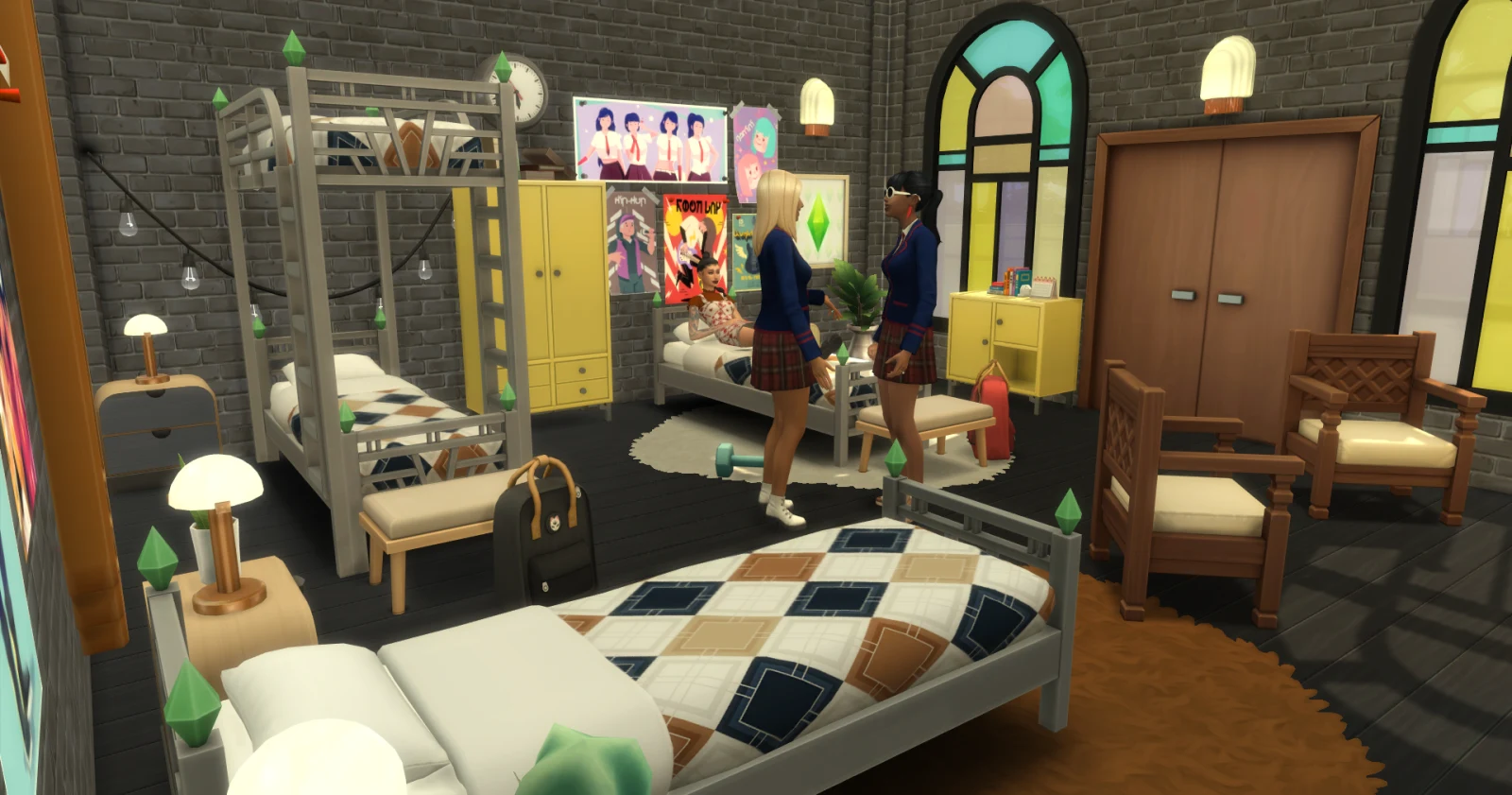
What’s Included in Boarding School Dorm
- A furnished boarding school dorm room build.
- Sleeping and study space for four Sims.
- A shared area for student conversations and everyday storytelling.
Requirements and Compatibility
Download the eight CC collections listed below separately. Check the requirements of the files used from each collection; the room download does not make those pack dependent objects base game compatible.
Boarding School Dorm Highlights
Space to Sleep and Study
The beds and study furniture give each part of the room a purpose. After placing the room, check the entrances and routes around the furniture in your own building.
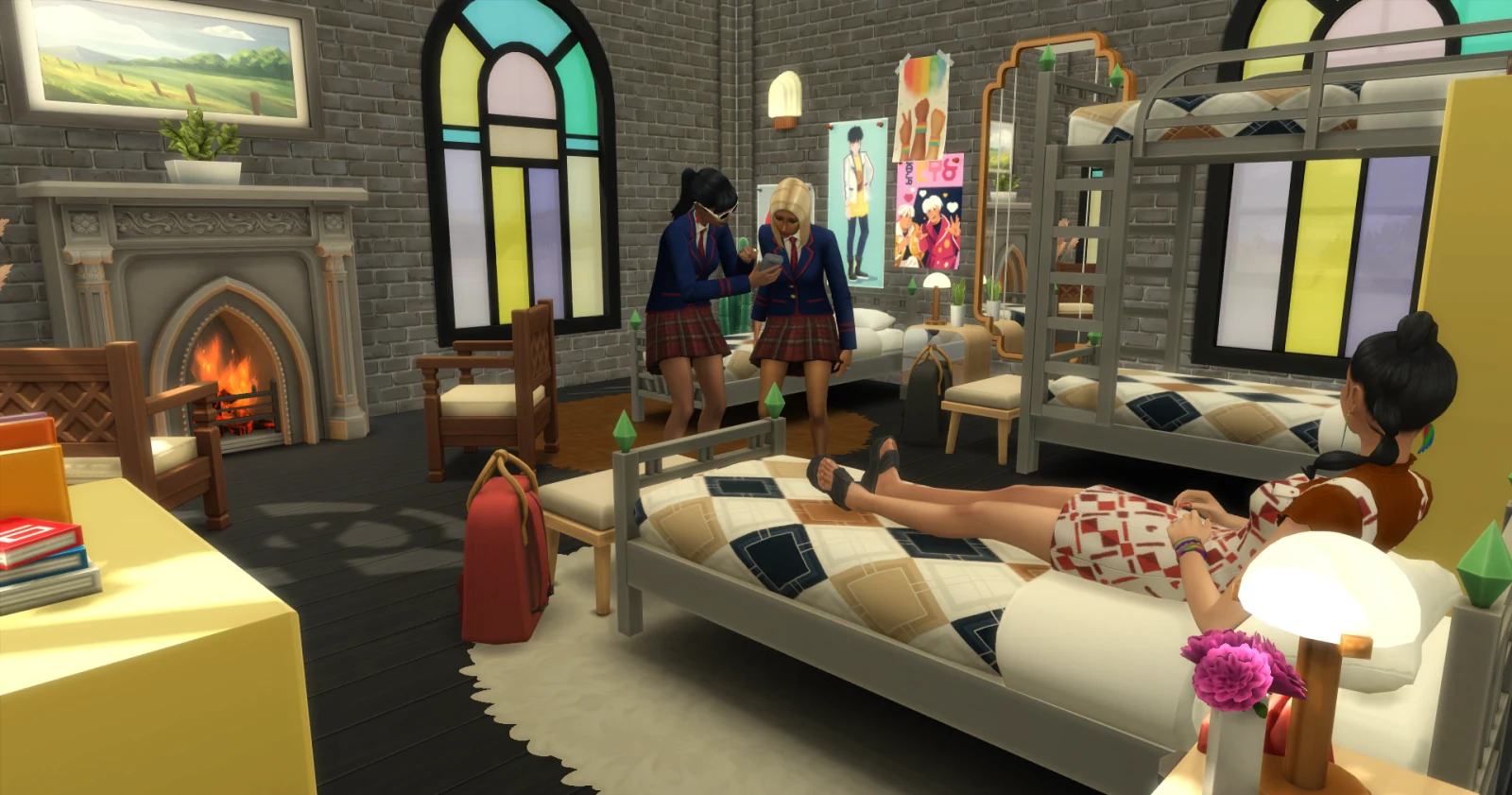
A Shared Student Setting
The social area can be the setting for a boarding school story. Decor and posters bring character to the room, while the sleeping areas keep the furniture arrangement practical.
Custom Content Used in This Build
Install the following collections separately before placing the furnished room.
- Private School CC Pack
- Small Spaces Work from Home
- Home Basics Clutter Collection
- Goodies Collection
- Dreamy Outdoor CC Pack
- Modern Teen Bedroom CC Pack
- Retro Vibes CC Pack
- Wednesday Goth Bedroom CC Pack
Ideas for Using Boarding School Dorm
- Add dorm rooms to a school build: Place the room within the building you are designing and adjust its access points.
- Tell a student friendship story: Use the shared area as a place for your Sims to gather after studying.
- Personalize each sleeping area: Keep the overall layout and rearrange smaller details for the Sims living there.
How to Download Boarding School Dorm
Download the build files for free from CurseForge using the button below. The custom content is separate: install the linked CC first and place the room or lot files in your Tray folder. Enable the custom content option when finding the build in your Library.
For general CC, mod and Tray file steps, use my Sims 4 installation guide.
A separate fast download option for paid Patreon subscribers will be linked here when available. Patreon download link coming soon.
For early access to new SIXAMcc collections before they become free for everyone, explore my Patreon membership.
Where to Find More Sims 4 Builds and CC
For more ideas and related downloads, explore Private School CC Pack, or Private School Classroom.
Happy Building!
I hope this shared room helps bring your Sims’ student stories to life. Happy Building!