
EA just announced SimSearch, a new beta feature that upgrades how you search for content in The Sims 4 Gallery. Two new search options are now available directly in the game client:
Cross-Language Search expands the existing Item Name and Hashtag searches by also scanning Description fields and other supported languages. So if you search for “Big Red House,” you’ll now also see results uploaded in Spanish, French, German, and more, without needing to know those languages yourself. It also surfaces related content you might like, even if it doesn’t exactly match your search terms.
Text-to-Image Search lets you search by visual content rather than just keywords. Type “fireplace” and the Gallery will return lots and rooms that actually show a fireplace in the preview image. Right now it’s limited to Lots and Rooms (Households aren’t included yet), and single-word searches give the best results since it currently uses an OR operator.
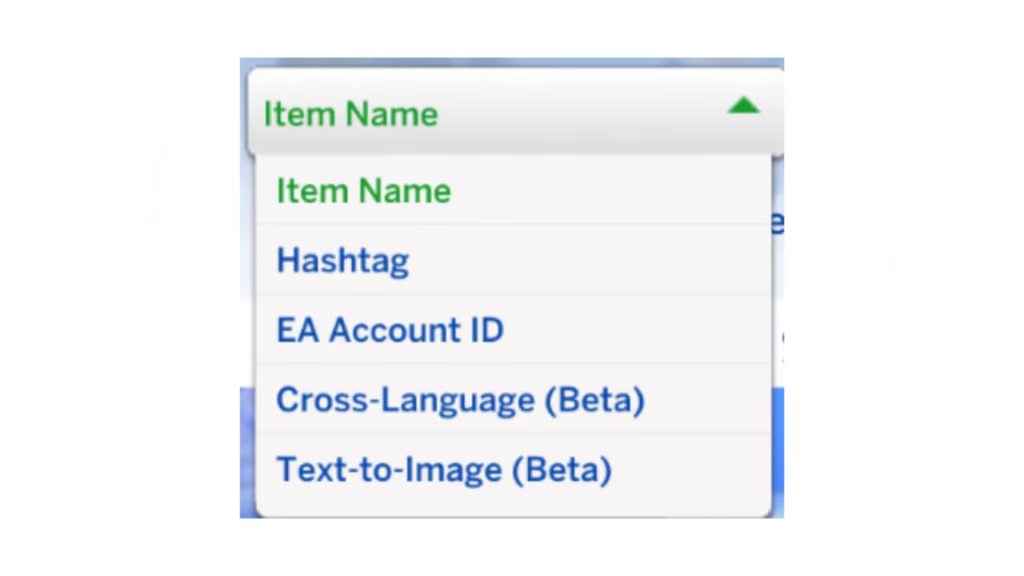
Both features are in Beta, so EA is actively collecting feedback from players. A few things to keep in mind: the Sort By filter doesn’t work with the new searches yet, and Text-to-Image is only available in the game client for now, with plans to add it to the web Gallery later.
You can share your feedback on the EA Forums or over on the official Sims Discord.