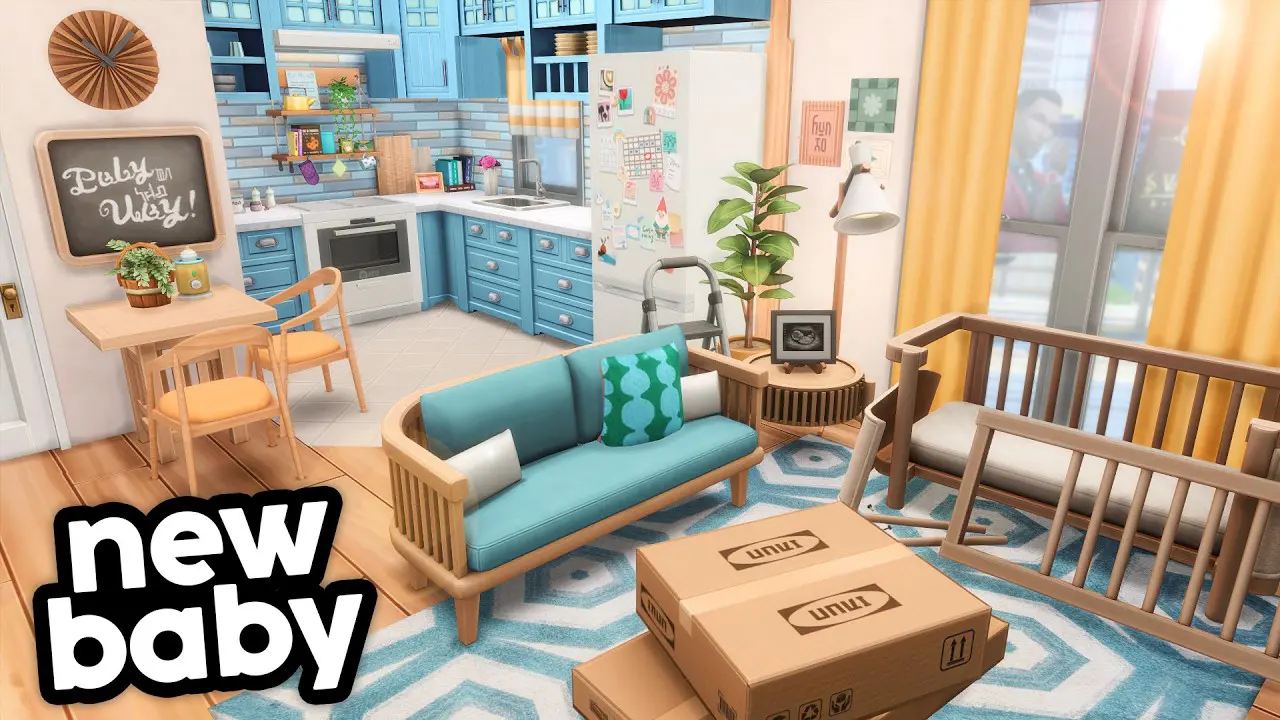
If you have ever wanted to see what a cozy, lived-in apartment looks like when it is built with love and just the right CC, this Sims 4 build by Gryphi is going to stop you mid-scroll. Gryphi is a talented Simmer and she used items from the Baby On The Way Part 1 CC Pack to bring this beautiful first-time parents apartment to life.
The result is exactly what I hoped for when I designed that pack.
About This Sims 4 Build
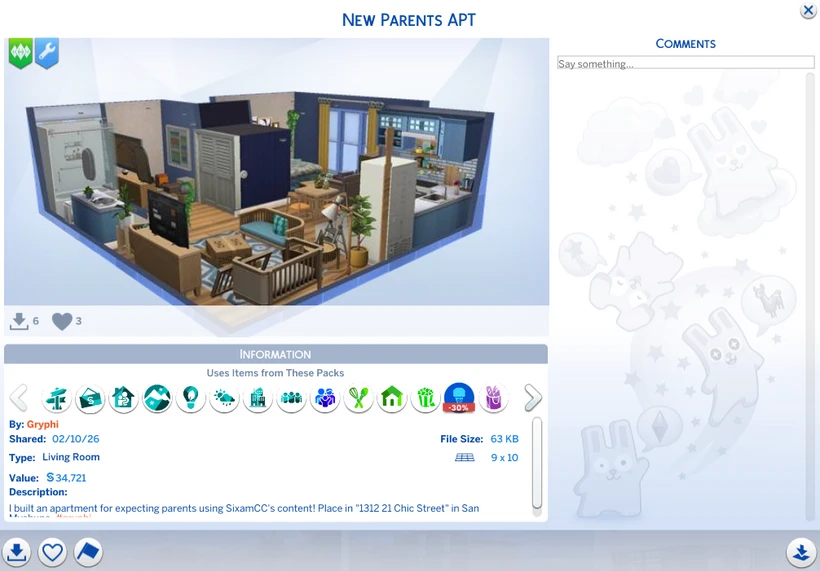
The apartment is called “New Parents APT” and it is listed in the Gallery under Gryphi’s profile. It was shared on February 10, 2026, sits on a 9×10 lot, and is placed in 1312 21 Chic Street in San Myshuno. The build value clocks in at $34,721, which tells you Gryphi packed in a lot of heart without going overboard.
What makes this Sims 4 build so special is the atmosphere. The moment you look at it, you feel the warmth of a growing family settling into their first home together. There is a nursery space with the crib tucked in just right, soft textures throughout, and a layout that feels genuinely functional rather than just pretty for screenshots.
Baby On The Way CC in Action
Seeing your CC used in someone else’s Sims 4 build is one of the best parts of creating custom content. Gryphi pulled pieces from Baby On The Way Part 1 and styled them in a way that felt completely natural to the space. Nothing looks forced or out of place. The items blend right into the apartment’s soft, cozy color palette and the overall Maxis Match aesthetic.
The Baby On The Way Part 1 CC Pack was designed specifically for players who love building realistic pregnancy and newborn spaces for their Sims. This apartment is a perfect example of how those pieces can anchor an entire room or even an entire story.
How to Download This Build
You can grab this Sims 4 build directly from the Gallery inside your game. Search for Gryphi or the build name “New Parents APT” to find it. One important step: make sure you enable the “Include Custom Content” toggle in the Gallery sidebar before downloading. Without that option turned on, the CC items will not load and the build will look incomplete.
Once it is downloaded, place it at 1312 21 Chic Street in San Myshuno for the best fit.
Get the CC Used in This Build
If you love how the nursery and living spaces look, the Baby On The Way Part 1 CC Packis currently available early access for Patreon subscribers. Join the SixamCC Patreon to get it first before it goes public.
And if you are shopping for any Sims 4 DLC to go with your new build, use creator code SIXAMCC at checkout on the EA app or EA.com for 5% off your purchase.
Support Note: And if you are shopping for any Sims 4 DLC to go with your new build, use creator code SIXAMCC at checkout on the EA app or EA.com for 5% off your purchase.
A huge thank you to Gryphi for creating something so thoughtful and beautiful with this CC. Builds like this one are exactly the kind of stories I hope players tell when they download my packs.
FAQ
Where can I download the First Time Parents Apartment Sims 4 build? You can download it from the Sims 4 Gallery. Search for Gryphi or “New Parents APT” and enable the Include Custom Content option before downloading.
What CC is used in this Sims 4 apartment build? This build uses items from the Baby On The Way Part 1 CC Pack and Stylish-Wood Series by SixamCC.
What lot size is the New Parents APT build? The build is on a 9×10 lot and is designed to be placed at 1312 21 Chic Street in San Myshuno.
Do I need custom content to use this Sims 4 build? Yes. This build includes CC from SixamCC. Download the Baby On The Way Part 1 pack first, then enable Include Custom Content in the Gallery before downloading the lot.
Want to see your Sims 4 build featured here? Tag me (SixamCC) in your posts or share your screenshots. I would love to see what you create.